In this paper, we outlined the first ten steps to building an effective IT disaster recovery plan, which include:
- Understanding the technology and infrastructure that underpin the services you provide to customers
- Making your IT disaster recovery tests as realistic as possible so you can practice how you play
- Ensuring you have an effective communications strategy in place
- Reviewing post-event to learn from your mistakes and successes
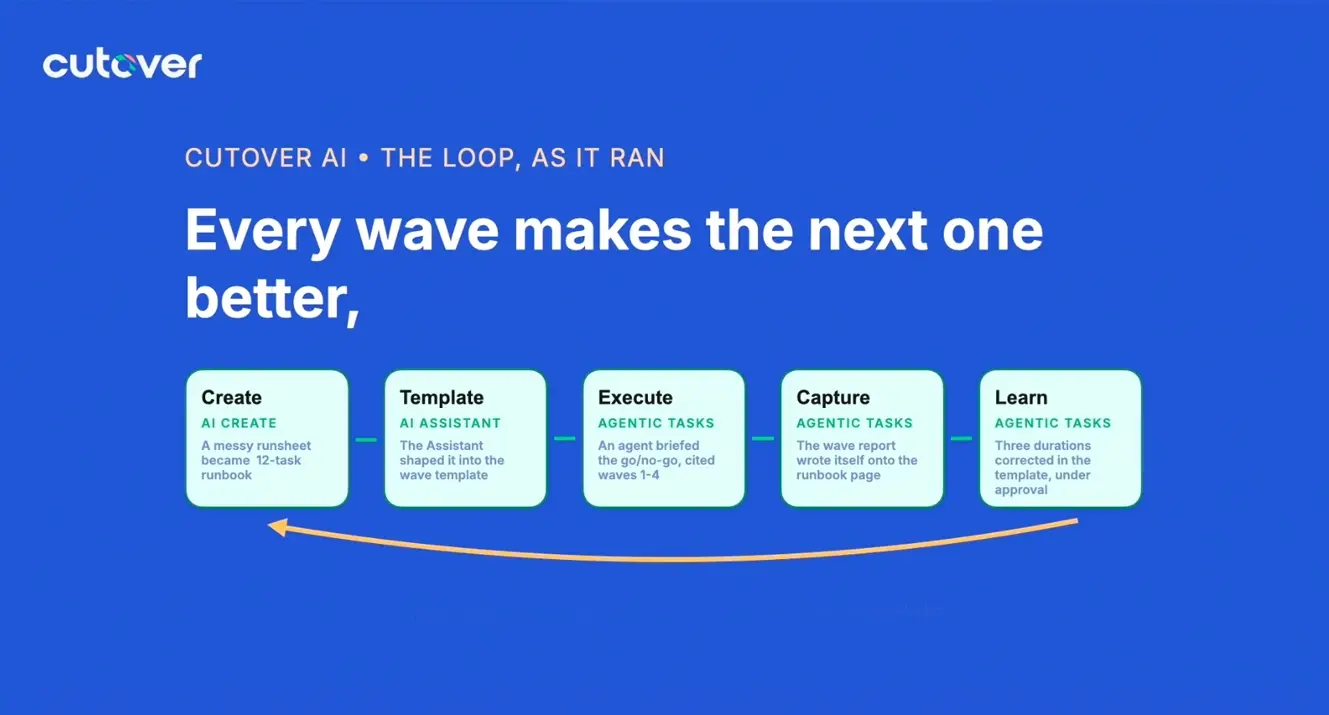
- Treating your IT disaster recovery plans as living documents that are constantly being used and improved, not static plans buried in a file somewhere
10 steps to building the most effective IT disaster recovery plan
Our in-house resilience experts have shared these 10 detailed tips for how to build and run the most effective IT disaster recovery plan.
1. Define and map out the criticality of your IT infrastructure
A lot of things can go wrong when an outage hits your organization, so it’s important to document which networks and applications are mission critical so that their recovery can be prioritized. Define different tiers that your networks and applications fall into and assign appropriate recovery time objectives (RTOs) for each based on how critical they are to the business. For example, if you have a major incident in a data center you will want to first recover your Tier 0 critical infrastructure functions such as the network and servers for connectivity, then you can focus on your Tier 1 mission critical functions, Tier 2 business-critical functions, Tier 3 important functions, and finally Tier 4 deferrable functions.
Cutover runbooks allow you to document all this information and automatically calculate and track your RTOs against RTAs, whether you’re rehearsing or actually recovering from an incident.
2. Build your service-oriented IT disaster recovery plans
No matter what recovery tier you are addressing, the first step to effective recovery is building out your service-oriented recovery plans. These should describe how to recover the functions you are responsible for and the steps required to bring each function back online, including both the technical and business steps that will need to be taken. These service-oriented plans can then be used to test on a recurring basis to ensure you have an effective recovery process and are prepared for an actual event or incident.
Cutover’s dynamic, automated runbooks enable you to collaboratively build recovery plans that are executable in the same format for both tests and actual recoveries.
3. Structure your recovery runbooks for efficiency and visibility
Whether you build out your individual service IT disaster recovery plans and use those to feed into a larger event runbook, or build out the main runbook first and then drill down into the detail of individual plans, these service recovery plans form parts of the recovery test or event as a whole.
When using Cutover, we advise that users have a main runbook (or parent runbook) set up for the event which is overseen by the event organizer, who can start the runbook when an actual event or incident occurs and oversee the progress of the various individual linked service or application runbooks (or child runbooks) which are delegated out to each service owner or application team. When these are linked in Cutover, it is then easy to see the progress of the recovery as a whole and dig down into the detail of each individual recovery and quickly find problem areas that could cause delays.
4. Enhance recovery with automation and integrations
When undergoing a test or live recovery, you will likely need to use data from various IT service management (ITSM) or business continuity management (BCM) tooling such as ServiceNow, Remedy, or Fusion RM. By integrating these with Cutover, you can bring in data that is mastered elsewhere into your recovery plans - this could include the last known configurations of infrastructure that you’re failing over, RTOs, and more.
We would also recommend having your mass communications such as Microsoft Teams or Slack integrated into Cutover to keep everyone updated on status and when they need to initiate their tasks.
5. Measure recovery time actuals (RTAs) against RTOs
As you define the critical recovery tiers and associated RTOs for the various functions in your network, you should think about how you would separate out those activities to calculate RTAs - this might be all the activities in your recovery tiers or just a subset. Cutover provides a clear view via customizable dashboards of how long these activities actually took against RTOs, whether these were met, and where delays may have happened.
6. Practice how you play
One way to ensure standardization and the most up-to-date recovery plans is to define them in template form and then review them on a regular basis. You should be reviewing your plans every time you make a significant change to your IT service to ensure that they still hold up. Regularly reviewing your IT disaster recovery plans means you’re ahead when it comes time to do a test as you don’t have to worry about reviewing all your plans as part of that exercise
How often you review and run your tests is down to your level of risk appetite and maturity. We would advocate that you structure your tests to as closely mimic what you would actually do in response to an incident. To achieve this you can store pre-approved templates in Cutover to reduce the amount of preparation you do before the test as much as possible (this is where regularly updating your templates comes in), involving your major incident managers in your testing process so they’re familiar with how everything works, and, in time, having major incident managers run the tests as well.
To learn more about templates, here are six steps to create an IT disaster recovery plan template.
7. Prepare for every recovery eventuality
When it comes to how you structure the content of your recovery plans, consider multiple scenarios and how your recovery would be different based on different challenges, such as having to do a bare metal recovery from a ransomware attack which would require a different plan from a regular recovery.
Similarly, while some organizations mistakenly believe that resilience is automatic in the cloud, it’s important to also have scenarios in place to recover or fail over services that are hosted on the cloud. For example, what will you do in the unlikely scenario that an entire cloud provider’s region fails? Or how do you know you are recovering an immutable database after a ransomware attack?
8. Set yourself up for success to meet regulatory requirements
Think ahead about what regulators will need to see and structure your plans with the outputs you will need for regulators in mind. If you put your plans together in a way that takes post-event audits and reporting into account it will be much quicker, easier, and more straightforward to prove your company’s ability to recover from an outage.
Cutover’s automated audit trail tracks every action taken in Cutover, when it happened, and who completed it, giving you all the data you need for post-event audit and review without having to search for it or reconstruct what happened post-event.
9. Prepare for every eventuality
Post-event reviews are essential to continuously improving your process. Assessing your successes and failures based on real data will enable you to both pinpoint potential roadblocks for future events and better understand realistic recovery timelines. Cutover’s detailed analytics and audit trails make post-event analysis simple for all stakeholders.
10. Set yourself up for success to meet regulatory requirements
An automated recovery platform provides you with a foundational platform to host and execute all of your recovery plans. Whether the tasks are automated or manual, you need a central system of execution to accurately monitor and manage all the activities needed to enact a test or live recovery. An automated recovery platform such as Cutover can also be triggered from monitoring systems that track the health of the network and associated applications. You can use it to orchestrate when mass communications are sent to stakeholders and integrate with your ITSM platform to address ticketing and updates to the configuration management database (CMDB).
Want to find out how an automated recovery platform can help you? Watch this video to learn more